

Download MediaFace – CD insert design, DVD cover maker, media presentation tool, custom media inserts, printable media templates, DIY media packaging
Overview
MediaFace is a specialized utility designed to simplify the creation of custom inserts for CDs and DVDs, targeting individuals who want to enhance their media packaging without requiring advanced graphic design skills. The application addresses the common challenge of producing professional-looking inserts by offering an accessible platform for users to combine images, text, and templates into visually appealing layouts. Its primary purpose is to serve as a DIY media packaging solution, allowing users to personalize their physical media with unique designs that reflect their content or brand identity.
Target users include hobbyists, independent musicians, small content creators, and educators who frequently produce or distribute physical media. These users often seek cost-effective, straightforward tools to elevate the presentation of their work. The app’s focus on simplicity and usability makes it particularly valuable in an ecosystem where many design tools are complex or require subscriptions. MediaFace stands out by offering a free, lightweight alternative that emphasizes ease of use over advanced features.
Developed by MediaFace, Inc., the application has been available since 2009, indicating a long-standing presence in the productivity space. While specific details about the company’s background are not provided, the app’s continued relevance suggests consistent functionality and reliability. Real-world use cases include creating promotional inserts for music albums, educational materials, or software distribution packages. Despite its age, MediaFace remains a niche but functional tool for users prioritizing accessibility and direct output over modern design capabilities.
Key Features & Functionality
- Image Library: The app includes a curated collection of over 500 images to use as backgrounds or design elements. This library offers a wide range of styles and themes, providing users with immediate visual inspiration and reducing the need for external image sourcing.
- Scanner Integration: Users can import images directly from a connected scanner, enabling seamless digitization of hand-drawn artwork, photographs, or printed materials. This feature streamlines the creative workflow, especially for users who prefer physical drafts.
- Text Customization: The application allows users to add and modify text with options for font selection, size, color, and placement. This functionality supports the inclusion of titles, artist names, track listings, or copyright information, enhancing both aesthetic and informational value.
- Intuitive Interface: Designed with minimal learning curve in mind, the interface enables users to navigate tools and features without prior experience in graphic design software. Layouts can be adjusted through drag-and-drop actions, promoting a hands-on approach to design.
- Direct Printing: Once a design is complete, users can send the file directly to a printer without additional formatting or conversion steps. This integration ensures a smooth transition from digital creation to physical output, improving overall efficiency.
For example, a musician could scan a hand-drawn logo, import it into MediaFace, add the album title and tracklist, and print a professional-quality insert in minutes. Similarly, a teacher might create a custom insert for a classroom DVD with student names and course details. These practical applications highlight the app’s value in real-world scenarios where speed, simplicity, and customization are essential.
Interface, UX & Performance
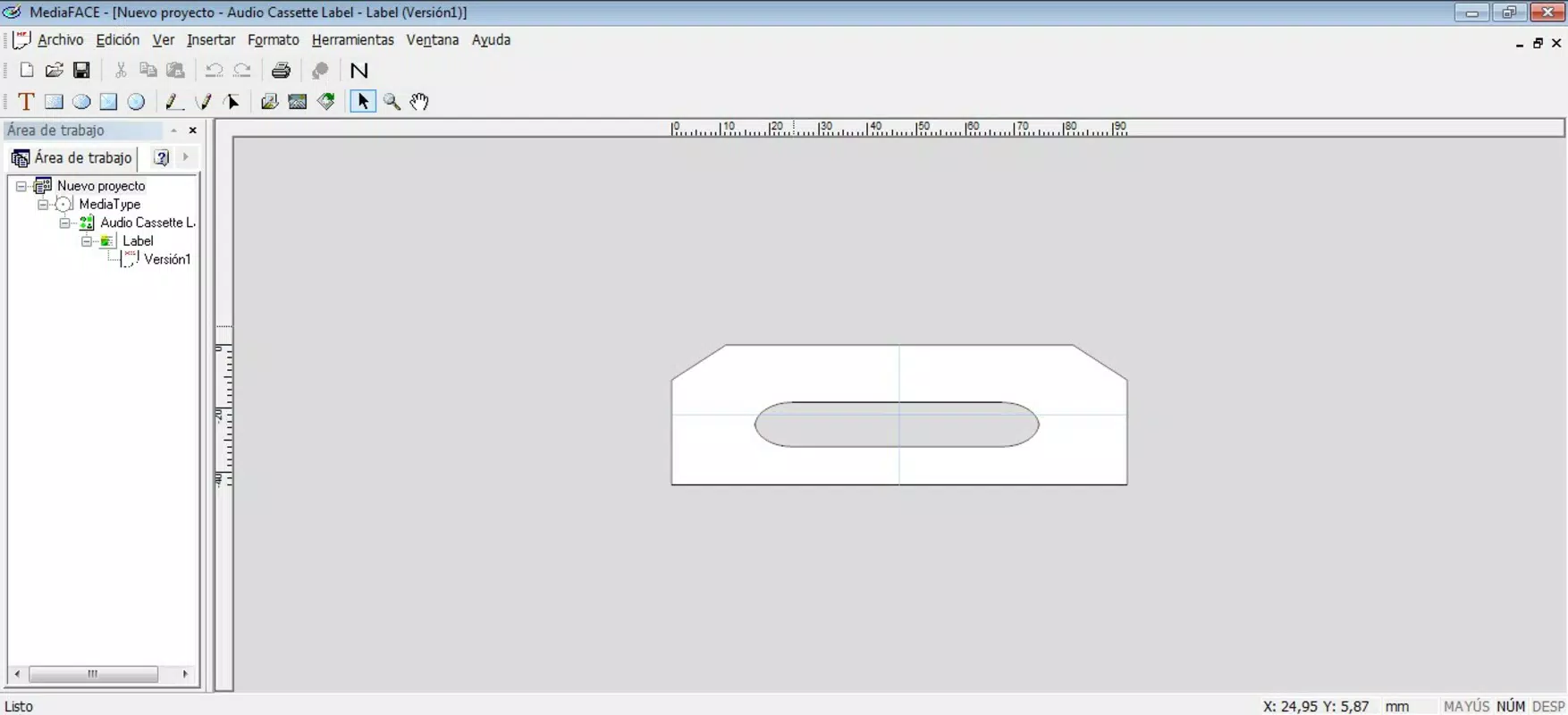
MediaFace features a clean, minimalistic interface focused on core design tasks. The layout organizes tools into clearly labeled sections, with primary functions such as image import, text editing, and layout adjustment positioned for easy access. Visual cues and consistent iconography support intuitive navigation, making it suitable for users unfamiliar with design software.
Navigation is straightforward, relying on a linear workflow: import media, customize layout, add text, and print. The application maintains responsiveness across different screen resolutions, although specific performance benchmarks were not provided. The developer did not list formal performance metrics, but the app’s file size of 11.5 MB suggests it is lightweight and optimized for older or low-resource systems.
Stability appears to be a strength, given the app’s long-standing availability since 2009. While no recent updates have been documented, the consistent functionality over time indicates reliable operation. Users can expect smooth performance on standard Windows systems, though compatibility with modern OS versions may require caution. Overall, the UX prioritizes accessibility and efficiency, aligning with its target audience’s needs.
Platform Compatibility & Technical Requirements
MediaFace is designed for the Windows operating system, specifically targeting PC users. The current version is 2.2.0, with a file size of 11.5 MB, making it a lightweight application suitable for systems with limited storage or older hardware. The developer did not specify minimum OS requirements, nor did they list compatibility details for newer Windows versions such as Windows 11 or Windows 10.
Although the app was released in 2009, no information was provided about updates, patches, or known issues related to modern system environments. Users should verify compatibility with their current OS before installation. The absence of platform-specific details for mobile or macOS environments indicates that MediaFace is exclusively available for Windows PCs.
Pros and Cons
Pros
- Free to download and use, making it accessible to budget-conscious users.
- Lightweight file size (11.5 MB) ensures quick installation and minimal system impact.
- Intuitive interface ideal for users without graphic design experience.
- Direct printing support streamlines the output process.
- Includes a large image library and scanner integration for diverse design inputs.
Cons
- Platform limited to Windows; no availability on mobile or macOS.
- No recent updates since 2009, raising concerns about compatibility with modern operating systems.
- Developer did not provide detailed technical specifications or system requirements.
- Limited customization options compared to modern design tools.
- No cloud sync, export formats beyond basic print-ready files, or template sharing features.
FAQ
Is MediaFace available for Android or iOS?
Currently, MediaFace is only available for Windows PCs. The developer did not provide information about mobile versions.
Can I use my own photos in MediaFace?
Yes, users can import their own photographs and artwork into the application. The app supports direct scanning and file import for personalized designs.
Is MediaFace safe to download?
As a long-standing utility, MediaFace is considered safe when downloaded from trusted sources. However, users should verify the source to avoid potential malware.
Does MediaFace require an internet connection?
No, the application operates offline. It does not require an internet connection to create or print designs.
Can I update MediaFace to the latest version?
The latest version available is 2.2.0, released in 2009. The developer did not provide update information or newer releases.
Final Thoughts
MediaFace remains a functional tool for users seeking a simple, free solution to design custom CD and DVD inserts. While its age is evident in the lack of modern updates and platform support, its core features—image library, scanner integration, text editing, and direct printing—continue to serve niche needs effectively. The app excels in accessibility, offering a no-frills experience for beginners and casual users who prioritize ease of use over advanced capabilities.
For independent creators, educators, and hobbyists who value physical media presentation, MediaFace provides a reliable way to produce professional-looking inserts without investing in complex software. Its lightweight nature and zero cost make it a compelling choice for low-budget projects or legacy systems.
Download MediaFace now


